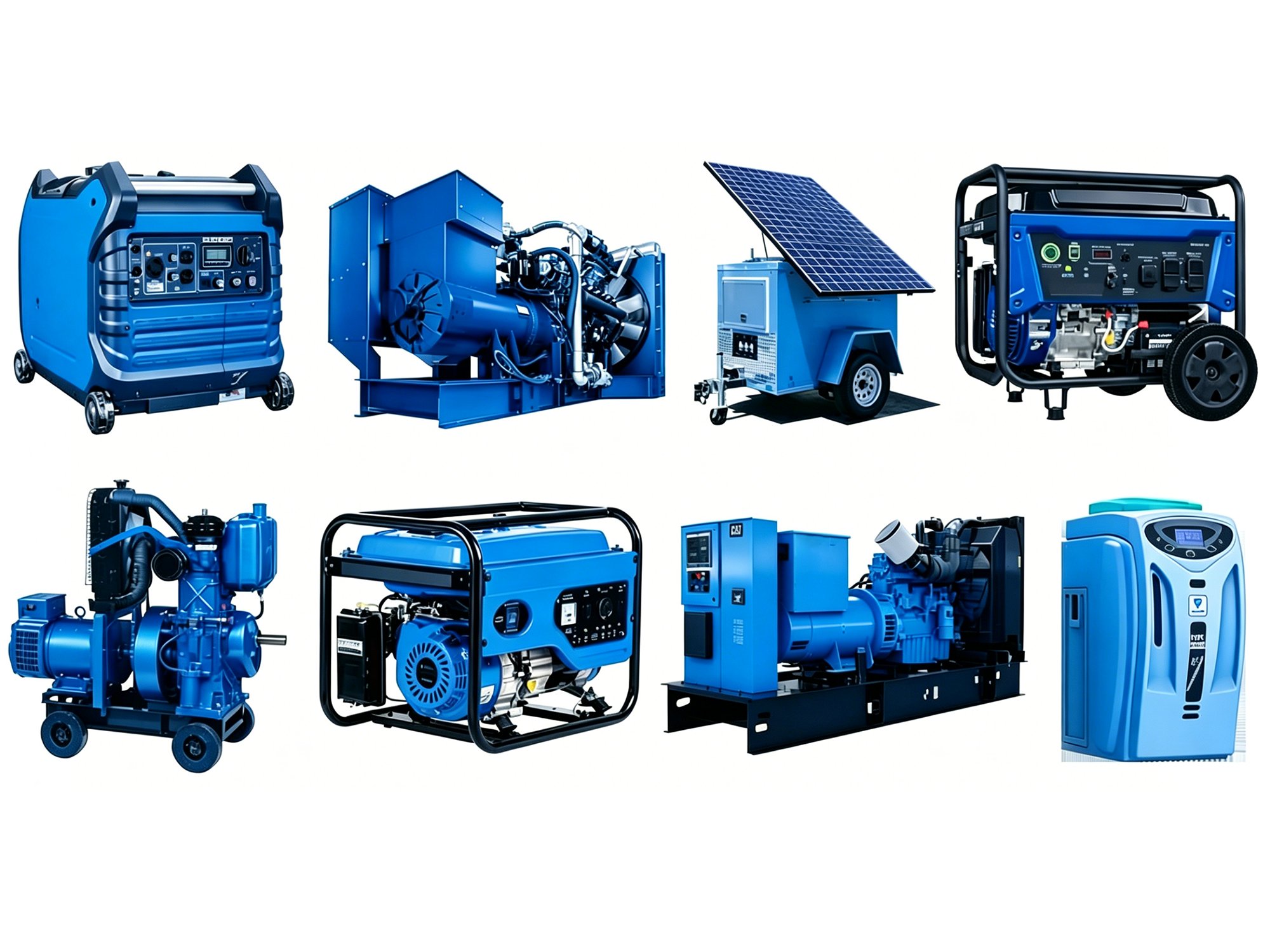
A modern diesel genset isn’t simply an engine and an alternator — it also needs a control panel. Built around a microprocessor, the control panel acts as the genset’s “brain,” processing signals from sensors and sending commands to the engine, the alternator control system, and other components.
In this article, UsuperPower will walk you through what the control panel is, what it does, and how it works.
What Is a Generator Control Panel
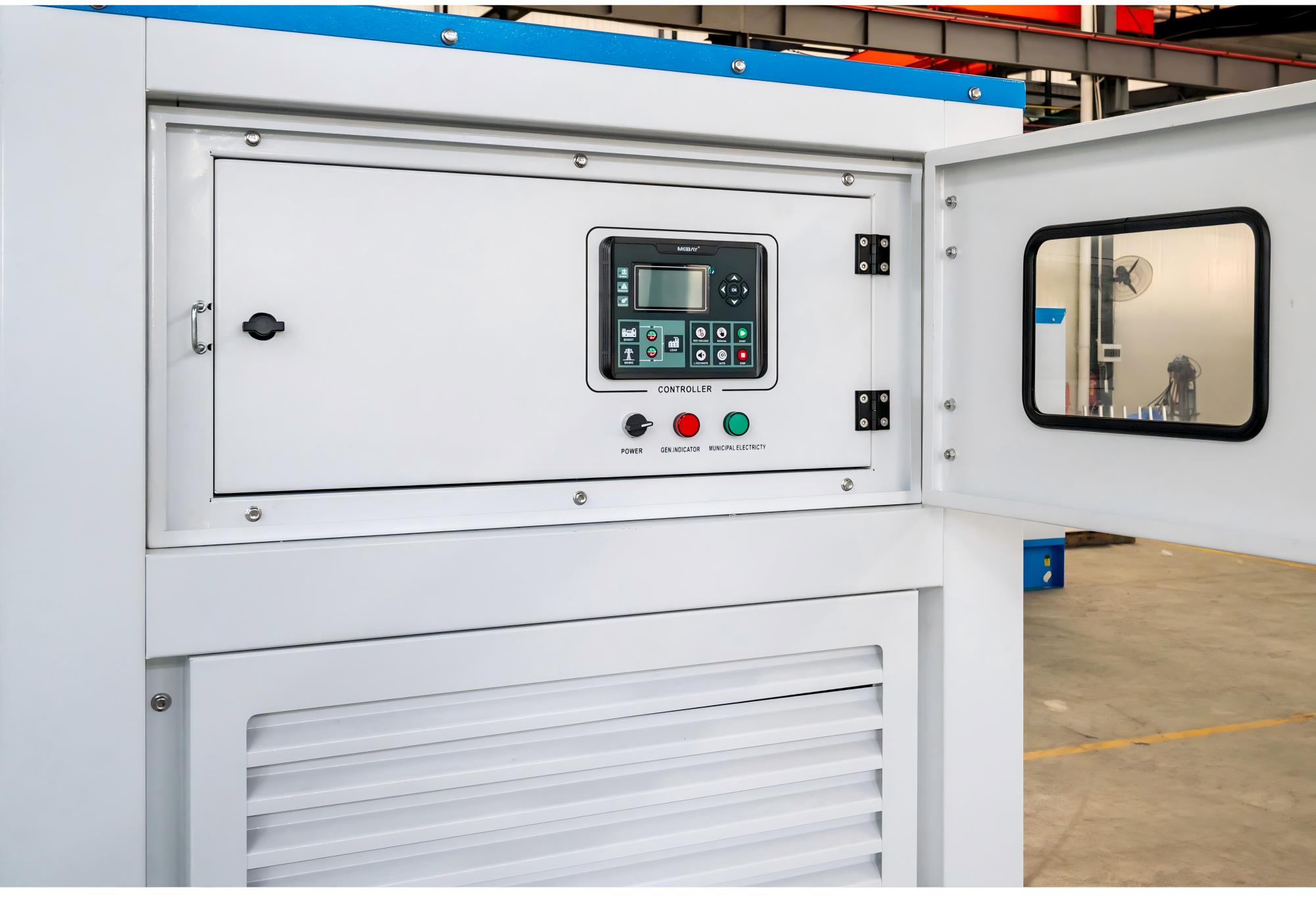
On the outside, it consists of a set of screens that display measured data such as voltage, current, and power. The components sit inside a metal enclosure that’s dust-proof, waterproof, and corrosion-resistant, protecting the equipment from damage.
The control panel can be mounted directly on the genset body as an integrated unit, or it can be a standalone control cabinet, separate from the genset and connected to it by cables.
The control panel is usually also equipped with buttons for starting and stopping the generator, among other functions. These are grouped by function to make them easier for you to use.
The Main Functions of a Generator Control Panel
The control panel likely does more than you’d expect. It’s not just about starting and stopping — it also handles many other control functions and data logging.
- Start and stop: monitors the main power status, starts the engine, manages the glow plugs, and cools the genset down after it stops.
- Engine protection: shuts down the generator in an emergency if oil pressure gets too low, coolant temperature gets too high, or engine speed gets too high.
- Electrical protection and control: over/under-frequency, inverse-time overcurrent protection, and ground fault monitoring.
- Voltage control: communicates with the AVR and the electronic governor through analog signals or CAN bus commands.
- Data logging: records run hours, alarm history, and more
- User interface: the screen shows real-time data such as voltage, frequency, phase current, total power, battery status, engine speed, temperature, and oil pressure.
If you’re worried about the control panel’s language, you don’t need to be. Our gensets offer multiple language options covering most major languages worldwide, and higher-spec products can switch between 20+ languages.
How the Control Panel Works
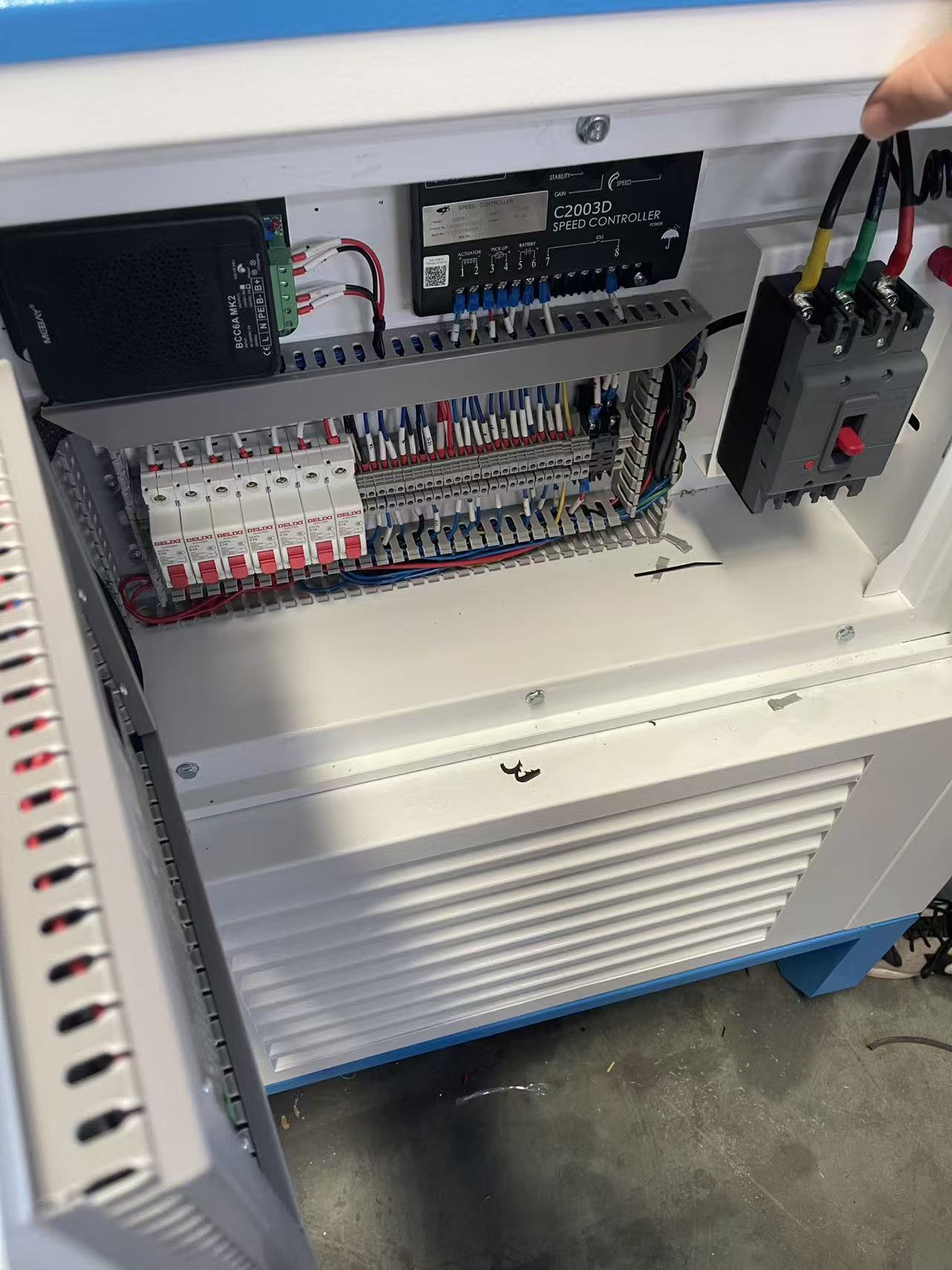
The control panel’s built-in microprocessor collects data from the sensors and feeds it back to the panel, giving the machine feedback so it can manage itself.
Operating Process
- Sensors collect data:the engine provides oil pressure, speed, and temperature, while the alternator provides voltage, output power, and current — so the control panel knows both how the engine is running and what power the alternator is producing.
- The controller processes the signals:all data is fed into the controller.
- The controller compares the data against set points:the microprocessor processes this real-time data and compares it with pre-set values.
- The controller issues commands:once it has the data, the microprocessor evaluates it to determine whether anything is abnormal.
- The generator responds:there are generally three states — normal, warning, and shutdown. A warning usually won’t shut the genset down directly, but you should still pay attention to it. A shutdown means the genset has detected a serious abnormality. After receiving a shutdown command, the genset cools down before stopping completely.
- The controller continues monitoring the results.
Integration with ATS
You might worry that the control panel operates in isolation and can’t switch power modes automatically — but it actually can.
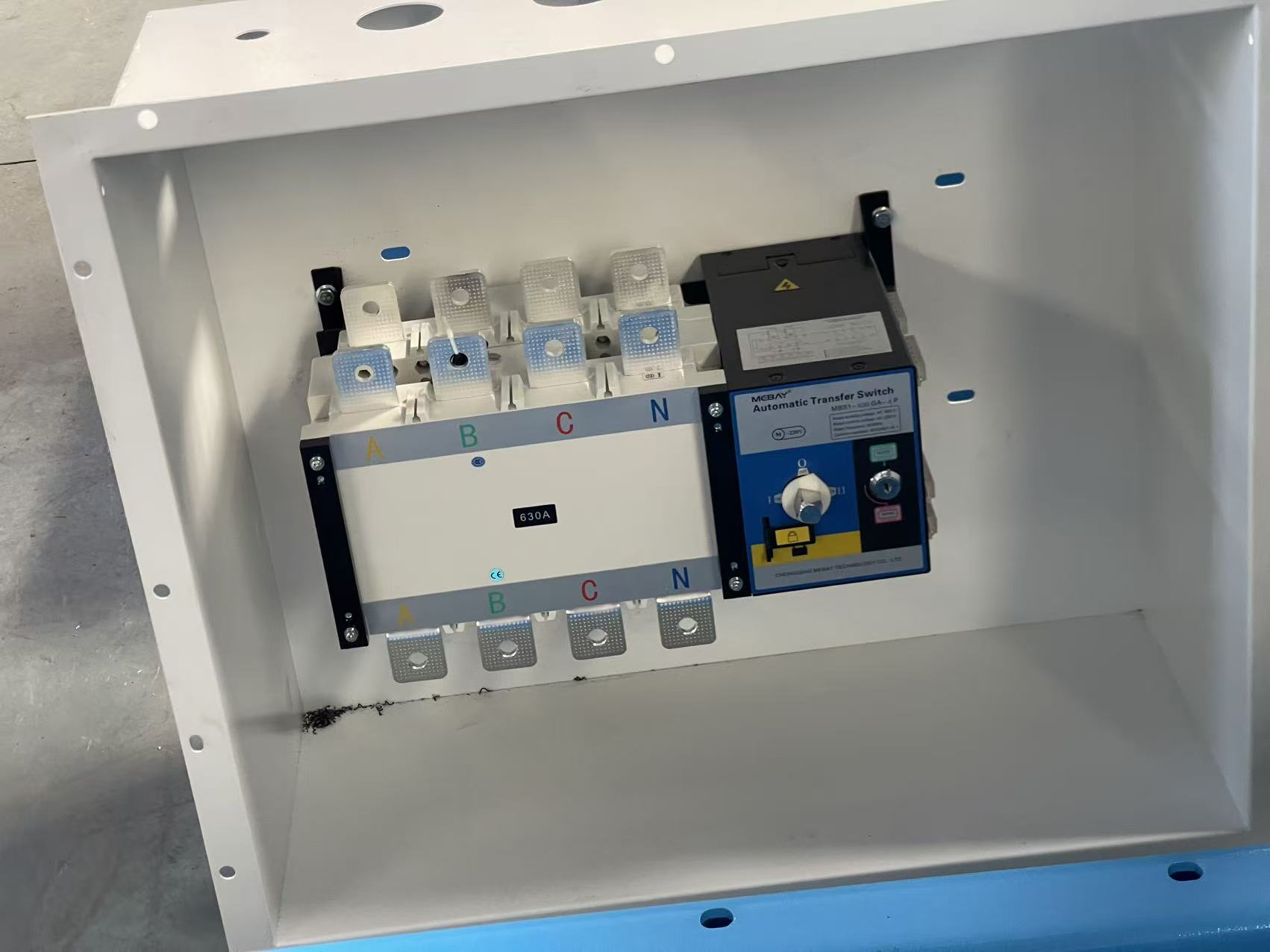
The control panel can work together with an ATS to ensure a smooth switchover from utility power to generator power, keeping your power supply continuous.
- Detecting a power outage:the ATS senses a utility failure and tells the control panel to start the generator to supply power.
- Starting the generator: the control panel starts the generator through an automatic starter.
- Automatic switchover:once the generator reaches a stable operating state, the ATS switches the power supply over to it.
Control Panel Operating Steps
The control panel needs to be operated step by step. The exact steps may vary slightly between genset models, but they’re basically the same. Here’s the operating process:
- Pre-start checks: before starting, check the engine oil level and coolant level, make sure there’s enough fuel, and check the battery condition. These readings will also show on the control panel once it’s powered on.
- Starting the generator: switch the control panel to manual mode and press the start button to start the generator. The screen will display readings such as voltage, frequency, and current.
If your genset has an automatic transfer switch, set it to automatic mode so it can switch to generator power during a utility outage.
- Monitoring generator status: keep an eye on the engine’s parameters and watch for any warnings.
- Shutting down the generator: turn off all the equipment connected to the generator, then press the stop button on the control panel. Let it cool down before it comes to a complete stop.
Remote Module
Some higher-spec control panels come with a remote control module. The difference from local control is that it sends data out.
- The remote module collects data through CAN, RS485, Ethernet, and other communication interfaces
- It transmits the data over the network, commonly via WiFi, 4G/5G, Ethernet, and similar methods
- The data reaches a monitoring platform, such as computer software, a mobile app, or a cloud platform.
- You can then view the data on your computer or phone.
Set Up the Maintenance Schedule by Control Panel
You can use the data collected by the control panel to maintain your genset
| Maintenance frequency | Task |
| Monthly | Download log files and clear alarms that are no longer needed. |
| Quarterly | Verify the accuracy of the voltage, current, and power readings. |
| Annually | Perform firmware updates and retest the protection functions. |
Keeping up with this maintenance will help extend your generator’s lifespan.
Final Thoughts
The generator control panel plays a key role in your genset’s performance, reliability, and ease of maintenance. If you still have questions about this, contact us — every UsuperPower generator comes with a suitable control panel, and we offer one-stop power solutions for you.
FAQ
What’s the difference between a generator control panel and an AVR?
They have different jobs: the control panel handles starting and stopping the genset, monitoring operating data, and dealing with abnormal conditions, while the AVR is responsible for stabilizing the voltage.
Why won’t my generator start automatically?
First check whether the control panel is faulty, then check the condition of the starter battery and starter motor, and finally check the fuel supply system.
Can the control panel store the generator’s operating history?
As long as it’s not a basic, purely manual mechanical panel, most smart control panels with AMF or remote monitoring features can store historical data. This is also an important indicator of how “smart” a panel is when you’re choosing one.
If the control panel’s display stops working, can the generator keep running?
Yes — in most cases, the generator itself can keep running, because a display fault and the generator’s “operating control logic” are two relatively independent layers.That said, if the control panel does show any abnormality, check it right away.
What should I do if the genset is running but the ATS hasn’t switched over?
Please first check if the ATS is malfunctioning, and then check the connection line between the ATS and the control panel. If the switching still cannot be performed, further checks should be conducted on the mains power detection signal, the generator startup signal, and the circuit breaker status. When it comes to the internal wiring or live components inside the ATS, professional personnel should be engaged for inspection and repair.
What should I do if the genset suddenly shuts down?
First, check the alarm code or fault information on the control panel to determine if the protection function has been triggered. Then, inspect the coolant temperature, engine oil, fuel supply, as well as the intake and exhaust systems. After confirming that the engine is in good condition, check the output voltage, frequency, circuit breakers of the alternator, etc. Once the cause of the fault has been ruled out, reset the alarm and restart the unit.